


|
Name |
Niagara Launcher |
|---|---|
|
Google Play Link |
GET IT ON
Google Play
|
|
Category |
Personalization |
|
Developer |
Peter Huber |
| Last version | 1.16.33 |
|
Updated |
|
|
Compatible with |
Android 5.0+ |
What is Niagara Launcher APK?
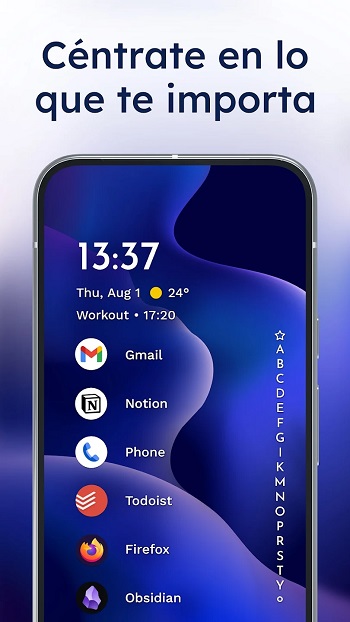
Niagara Launcher is a minimalist Android home screen app built for efficiency and simplicity. It replaces the traditional grid-based interface with a clean vertical list, making everything accessible with one hand. The design focuses on usability and comfort, especially for users with large-screen smartphones who find it difficult to reach distant icons or cluttered folders.
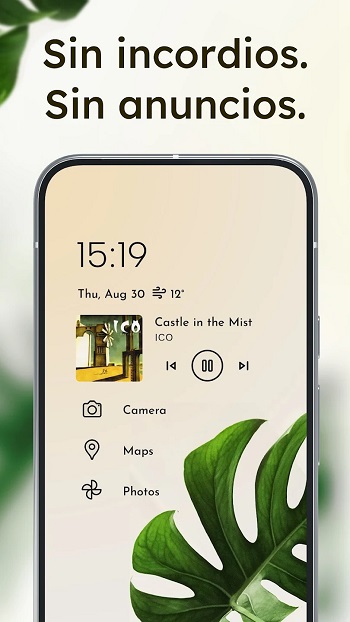
Unlike typical launchers that overwhelm users with widgets and icons, this app prioritizes what truly matters. You can view your most-used apps, check notifications, and handle messages directly from your home screen. It turns your phone into a neatly organized tool that feels intuitive from the start.
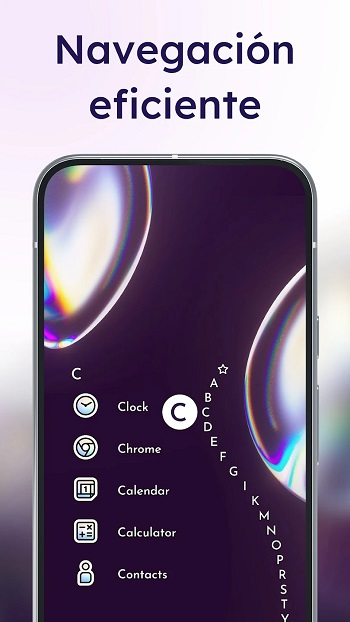
One of its core ideas is ergonomic navigation. The alphabet scroll lets you glide through apps quickly, using natural thumb movements instead of constant swiping. The adaptive layout also reacts to your current activity — media controls, calendar events, or new messages show up when relevant and hide when not needed.
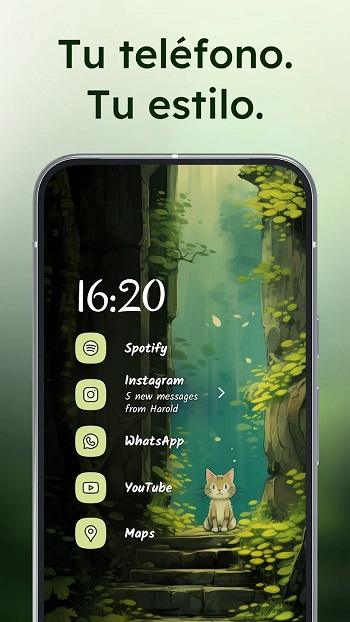
A big plus is its built-in notification feature. You don’t just see notification dots — you can read and respond to messages instantly. It removes unnecessary app switching, helping you stay focused and save time throughout the day.
Performance-wise, Niagara Launcher is light and fast. The app runs smoothly on both older and new Android phones, using minimal storage and system resources. Even the free version stays completely ad-free, which keeps the experience clean and distraction-free.
While it offers customization options like icon packs, fonts, and themes, it avoids overcomplicating things. The Material You integration matches your wallpaper colors across the interface, giving your phone a consistent aesthetic without any effort.
However, some users may miss the advanced widget layouts and multitasking shortcuts available in other launchers. It’s designed for simplicity, so if you prefer heavy customization or multiple pages, it may feel too minimal. But for anyone wanting a fast, clutter-free phone setup that actually makes one-handed use practical, this launcher is an excellent fit.
FAQs Niagara Launcher
What is Niagara Launcher?
+
Niagara Launcher is a minimalist Android home screen app designed for one-handed use and smooth navigation.
How does Niagara Launcher improve usability?
+
It replaces the cluttered grid layout with a simple vertical list, making apps and notifications easier to reach.
Can I customize Niagara Launcher?
+
Yes, you can change fonts, icons, and wallpapers, and use Material You themes for a cohesive style.
Does Niagara Launcher have ads?
+
No, even the free version of Niagara Launcher is completely ad-free to keep your phone distraction-free.
Who should use Niagara Launcher?
+
It’s ideal for Android users who prefer a fast, clean, and ergonomic home screen that prioritizes simplicity.
Discover More Interesting Apps
-
 Mod
Mod
Everything Widgets
v2.1.017
31.00 Mb
Updated -
Mod
Sticlo Icons
v2.6
25 MB
Updated -
Mod
Minimal Widgets
v2.2.11
17.19 Mb
Updated -
Mod
WallsPy Interactive Wallpapers
v5.8.1
38.38 Mb
Updated -
Mod
Lumos
v1.2.7
36 MB
Updated -
Mod
Always On Edge
v9.7.9
8.10 Mb
Updated -
Icon Pack Studio
v2.5 build 001
60.24 Mb
Updated -
App Mayor
v2.3.0
62.36 Mb
Updated -
Mod
Screen Color Filter
v6.16.2
22.99 Mb
Updated -
Mod
Parallel Space
v4.0.9620
57.80 Mb
Updated









Share Your Thoughts